
In Magento 2 we need to run some SSH/CLI commands and sometimes developer face trouble to find right SSH/CLI command in Magento 2, such as indexing, enable/disable cache, compile code etc.
So in this post we mentioned list of most important SSH/CLI commands for Magento 2. I suggest to bookmark this post so you can easily get list of useful Magento 2 SSH/CLI commands.
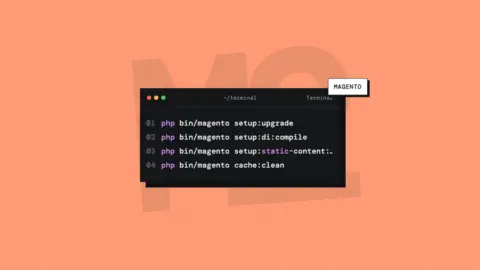
Setup upgrade using the CLI
php bin/magento setup:upgradeSetup upgrades without removing pub/static files using the CLI:
php bin/magento setup:upgrade --keep-generatedCache Flush Using Command Line
php bin/magento cache:flushCache Clean Using Command Line
php bin/magento cache:cleanView cache status Using Command Line
php bin/magento cache:statusEnable Cache Using Command Line
php bin/magento cache:enable [cache_type]Disable Cache Using Command Line
php bin/magento cache:disable [cache_type]Static Content Deploy Using Command Line
php bin/magento setup:static-content:deployStatic Content Deploy For Particular Language Using Command Line
php bin/magento setup:static-content:deploy en_USReindexing Using Command Line
php bin/magento indexer:reindexView the list of indexers Using Command Line
php bin/magento indexer:infoView indexer status Using Command Line
php bin/magento indexer:statusShow the mode of all indexers Using Command Line
php bin/magento indexer:show-modeSee all modules Status Using Command Line
php bin/magento module:statusEnable module Using Command Line
php bin/magento module:enable Namespace_ModuleDisable module Using Command Line
php bin/magento module:disable Namespace_ModuleUninstall Module Using Command Line
php bin/magento module:uninstall Namespace_ModuleCheck Current Mode Using Command Line
php bin/magento deploy:mode:showChange To Production Mode Using Command Line
php bin/magento deploy:mode:set productionDI compilation using Command Line
php bin/magento setup:di:compileEnable Maintenance Mode Using Command Line
php bin/magento maintenance:enableTo enable maintenance mode for all clients except 169.0.0.1 and 169.0.0.2
php bin/magento maintenance:enable --ip=169.0.0.1 --ip=169.0.0.2To clear the list of IPs for maintenance mode
php bin/magento maintenance:enable --ip=noneDisable Maintenance Mode Using Command Line
php bin/magento maintenance:disableCheck Maintenance Mode Status Using Command Line
php bin/magento maintenance:statusCreate an admin user Using Command Line
php bin/magento admin:user:create --admin-user='admin' --admin-password='admin123' --admin-email='admin@domain.com' --admin-firstname='John' --admin-lastname='Smith'Unlock admin user account Using Command Line
php bin/magento admin:user:unlock username
Comments